
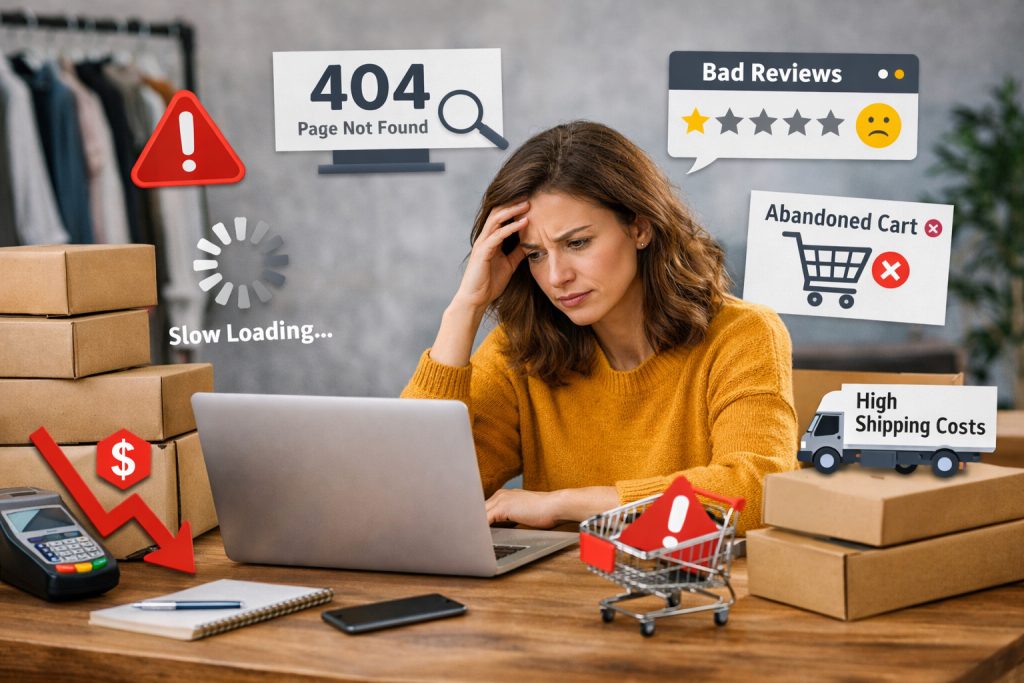
You’re generating traffic. Your ads are running, your social media is active, people are landing on your site — but sales just aren’t following. If this sounds familiar, there’s a strong chance your website is hurting sales in ways that aren’t obvious from the outside.
Here’s the uncomfortable truth: most business owners never realize their website is the problem. They blame the ad budget, the sales team, or “the market.” Meanwhile, visitors are quietly bouncing off a slow, confusing, or untrustworthy site before they ever reach out. A website hurting sales rarely announces itself with an error message — it just slowly bleeds revenue you never see.
Below are the 10 clearest warning signs that your website is actively working against you, along with what to do about each one.
1. Your Website Takes Too Long to Load
This is the single most common — and most underestimated — reason a website ends up hurting sales. Every additional second of load time increases the likelihood a visitor leaves before your page even finishes rendering. Mobile users are especially unforgiving; on a spotty connection, a slow site doesn’t just annoy people, it actively locks them out of your business.
Signs to watch for:
- Your homepage takes more than 3 seconds to become interactive
- Images look uncompressed or oversized
- You’ve never actually tested your site speed on a real mobile connection
The fix: Run your site through Google PageSpeed Insights or GTmetrix. Compress images, enable browser caching, and if you’re still using a bloated page builder with a dozen unnecessary plugins, that’s very likely part of the problem. Speed isn’t a “nice to have” — it’s often the very first filter a potential customer applies before they decide whether to trust you at all.
2. Your Website Isn’t Properly Mobile-Optimized
If your site was designed primarily for desktop and just “shrinks” on a phone, you have a mobile experience problem — and given that the vast majority of web traffic today comes from mobile devices, this alone can be enough to make a website hurting sales without anything else being wrong.
Signs to watch for:
- Text that requires zooming to read
- Buttons too small or close together to tap accurately
- Forms that are painful to fill out on a touchscreen
- Horizontal scrolling on any page
The fix: Don’t just check that your site “works” on mobile — actually use it the way a customer would. Fill out your own contact form on your phone. Try to call your business by tapping your own phone number. If any part of that feels clunky, your customers are feeling it too, and many of them are simply leaving instead of pushing through.
3. Your Calls-to-Action Are Weak, Buried, or Missing
A website can have great design and solid traffic and still fail commercially if visitors never see a clear next step. This is one of the most fixable — and most frequently ignored — reasons a website ends up hurting sales.
Signs to watch for:
- Your “Contact Us” button blends into the background
- Your main call-to-action is below the fold and easy to miss
- Every page has a different, inconsistent call-to-action
- You use vague language like “Learn More” instead of something action-oriented like “Get a Free Quote”
The fix: Every page on your site should answer one question instantly: what do you want the visitor to do next? Make that action visually obvious, repeat it at logical points down the page, and use direct, specific language tied to the value the visitor gets from clicking.
4. Your Website Doesn’t Build Trust
People don’t buy from businesses they don’t trust, and a website is often the first — and sometimes only — chance you get to establish credibility before someone decides whether to reach out.
Signs to watch for:
- No reviews, testimonials, or client logos anywhere on the site
- No visible business address, phone number, or physical presence
- Stock photos that feel generic or clearly don’t represent your actual team or work
- No certifications, licenses, or trade association badges displayed, even when you have them
The fix: Add real testimonials with names and, where possible, photos. Show actual project photos instead of generic stock imagery. If you’re a licensed or certified business, display that clearly — this matters even more for services where trust is a major purchase factor, like contractors, clinics, or financial services.
5. Your Navigation Is Confusing
If visitors can’t quickly find what they’re looking for, they don’t dig deeper — they leave. Confusing navigation is a quiet but consistent driver of a website hurting sales, because it doesn’t just lose the visitor who gets lost; it also signals disorganization about your business as a whole.
Signs to watch for:
- More than 7 items in your main navigation menu
- Vague labels like “Solutions” or “Resources” that don’t tell visitors what’s inside
- No clear path from homepage to the page that actually drives a purchase or inquiry
- Important pages (pricing, services, contact) buried multiple clicks deep
The fix: Simplify your main menu to the handful of things visitors actually search for. Structure your site so that no important page is more than two clicks from the homepage, and make sure your labels describe outcomes, not internal jargon.
6. Your Website Content Doesn’t Speak to the Customer
A lot of business websites read like an internal company memo: all about “we,” “our company,” and “our 20 years of experience,” with very little about what the customer actually gets. This mismatch is a subtle but real reason a website ends up hurting sales, especially in competitive markets.
Signs to watch for:
- Your homepage headline describes your company instead of the customer’s problem
- Service descriptions focus on features rather than outcomes
- No clear answer to “why should I choose you over a competitor?”
- Generic, interchangeable copy that could describe almost any business in your industry
The fix: Rewrite key pages around the customer’s problem and the result they want, not just a list of what you offer. Speak directly to their situation in the first few seconds of the page — that’s usually all the time you get before they decide whether to keep reading.
7. Your Website Looks Outdated
Design perception directly affects purchase decisions, whether that feels fair or not. An outdated design signals an outdated business, even when the company behind it is thriving — and this perception gap is one of the more painful ways a website hurting sales, because the business itself may be doing everything right except this one visible thing.
Signs to watch for:
- Design elements that look distinctly like they’re from a decade ago
- Inconsistent fonts, colors, or spacing across pages
- Low-resolution images or clip-art-style graphics
- A layout that hasn’t been touched since the site first launched
The fix: You don’t need a full rebuild to solve this. Often a design refresh — updated typography, consistent color scheme, higher-quality imagery, and modern layout conventions — solves the perception problem without the cost of starting from scratch.
8. Your Contact and Checkout Process Has Friction
Every additional step, every unnecessary form field, and every unclear instruction between “interested” and “converted” gives a visitor another opportunity to abandon the process. This is one of the most measurable ways a website hurting sales shows up in actual numbers, since it’s directly visible in cart abandonment and form drop-off rates.
Signs to watch for:
- Contact forms asking for information you don’t actually need
- No option to check out as a guest on an e-commerce site
- Unclear shipping costs or fees that only appear at the final step
- No confirmation message after a form is submitted, leaving the visitor unsure if it worked
The fix: Audit every step between landing on your site and completing a purchase or inquiry. Remove anything non-essential, be transparent about costs early, and always confirm to the user that their action succeeded.
9. Your Website Isn’t Optimized for the Right Keywords
If your website isn’t attracting the right kind of visitor in the first place, no amount of on-page optimization will fix your sales numbers. A website hurting sales isn’t always about what happens after someone arrives — sometimes it’s about who’s arriving at all.
Signs to watch for:
- Your traffic is high but your inquiries are low
- Your top-performing pages don’t match your top revenue-generating services
- You’re ranking for broad, low-intent keywords instead of specific, purchase-ready ones
- Your blog content doesn’t connect to any of your actual services
The fix: Align your SEO strategy with commercial intent, not just traffic volume. It’s far more valuable to rank for a specific, high-intent phrase that ten motivated buyers search for than a broad term that brings a thousand visitors who were never going to buy.
10. Your Website Has No Way to Track What’s Actually Happening
You can’t fix a website hurting sales if you don’t know where visitors are dropping off. Flying blind on analytics means every website decision is a guess, and guesses are expensive when they’re wrong.
Signs to watch for:
- No analytics tool installed, or one installed years ago and never checked
- No idea which pages get the most traffic
- No visibility into where visitors exit before converting
- No tracking on form submissions, calls, or WhatsApp clicks
The fix: At minimum, install Google Analytics 4 and Google Search Console, and set up conversion tracking on your key actions — form submissions, calls, WhatsApp clicks, or purchases. Once you can see where visitors are actually dropping off, fixing the problem becomes a much more targeted process instead of a guessing game.
How to Know If These Signs Apply to You
Not every business will show all 10 signs, and that’s fine — even two or three of these issues can be enough to meaningfully suppress conversions. A useful way to think about it: if your traffic has stayed steady or grown over the past few months but your leads or sales haven’t moved with it, that gap is usually where a website hurting sales problem is hiding.
A simple way to start diagnosing this yourself:
- Check your bounce rate by page. Pages with unusually high bounce rates relative to the rest of your site are worth investigating first.
- Time your own site on mobile data, not office wifi. What feels instant on a fast connection may feel painfully slow to a real customer.
- Ask someone outside your business to complete your main conversion action — filling a form, requesting a quote, making a purchase — while you watch. Where they hesitate is exactly where you’re losing people.
- Compare your top-traffic pages to your top-converting pages. If they’re not the same pages, your site may be attracting the wrong audience or failing to convert the right one.
Final Thoughts
A website hurting sales is one of the most common — and most fixable — problems businesses face, precisely because it hides in plain sight. Nobody sends you an alert when a visitor gets frustrated and leaves; they just quietly go to a competitor instead. The good news is that every sign on this list is addressable, usually without a full website rebuild, once you know where to look.
If you’re not sure whether your website is helping or hurting your sales, that uncertainty is itself worth resolving. At Uphex Digital, we regularly audit business websites to identify exactly which of these issues are costing real revenue, and fix them with targeted, practical changes rather than unnecessary full redesigns.
Not sure if your website hurting sales? Get in touch with Uphex Digital for a straightforward website audit and find out exactly what’s holding your conversions back.